
IMPORTANT INFORMATION:
- Once your event has been made live (2 weeks prior to the event), no further changes can be actioned.
- In line with our GDPR and Safeguarding practices, any change request can only be actioned or requested by the registered Centre Coordinator or Head of Centre
If your closing date for entries has not yet passed*, your event status would be set at "Ready for Learner entry". This means that you are still able to amend your event timetable, including changing or cancelling exams, free of charge.
To do this, please follow these instructions:
1. Click on the “My sessions” icon in the top left-hand corner of the page.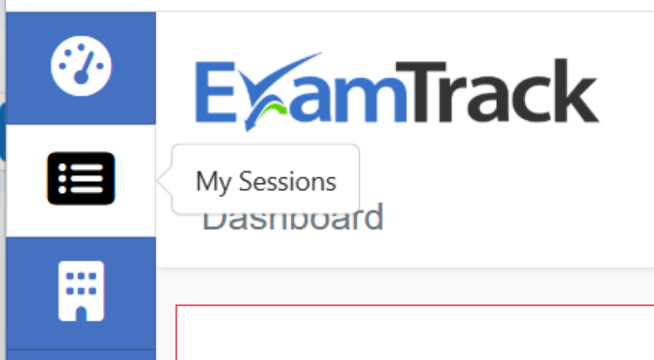
2. Click on the “Actions” - “View Sessions” button relevant to your event.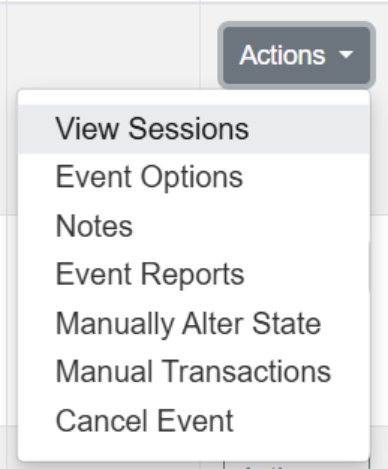
3. Click on the “Actions” - “View Session” button relevant to your session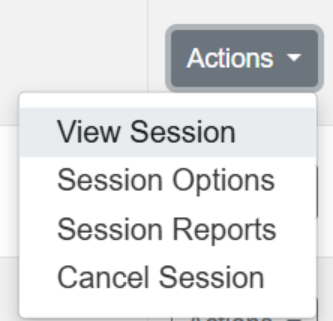
4. Click on the “Actions” - “Delete exam” button relevant to the exam in question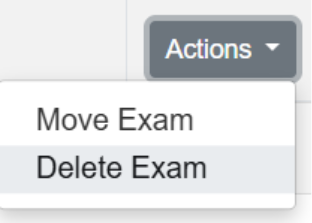
5. Re-enter your Learner for the correct exam, following the usual process
However, if your closing date for entries has passed* or if you have already finalised and submitted your timetable, please email us at exams@lamda.ac.uk and outline the required changes. Your query will be assessed by the relevant team member, who will get back to you as soon as possible.
*Please note that the closing date for entries will always be 6 weeks (30 working days) prior to the date of your first exam session, and that changes requested following the closing date can be subject to an administration fee, per required instruction. More information on this can be found on our fees lists.