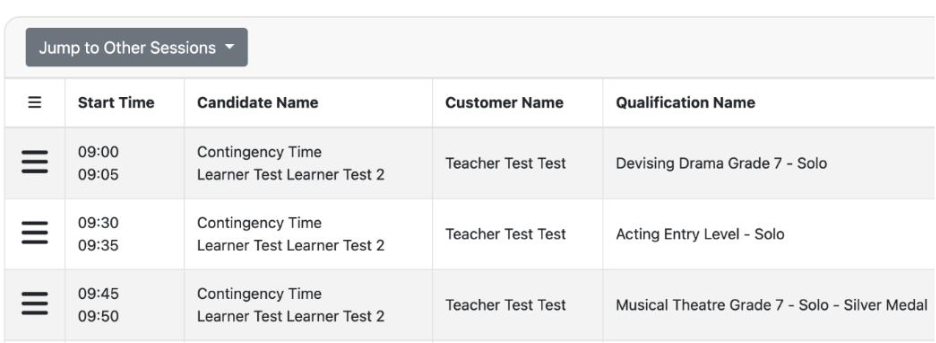
While the "Session page" will show you the order in which you have registered your Learner's exams, your "Session Schedule" page will show you the order in which their exams are timetabled.
To view and manage the order in which your Learners will take their exams, please follow these instructions:
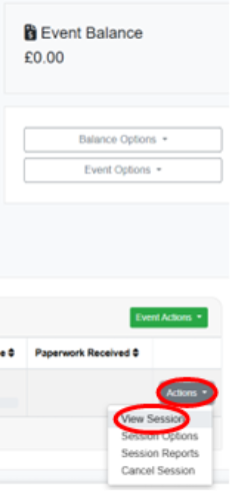
1. Once you are in your event page, please click on the small "Actions" button in the bottom right-hand corner of the page, and click on "View Sessions":
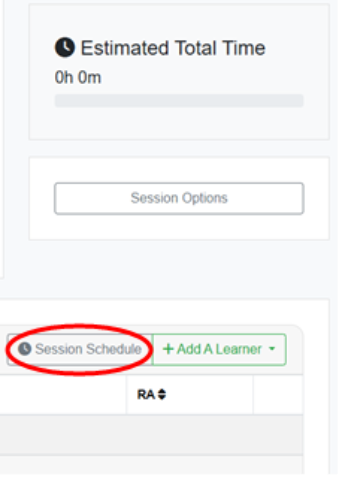
2. Within the session, click on the grey "Session Schedule" button on the right-hand side of the page:
3. The following page will then show you the order in which your Learners’ exams are timetabled: